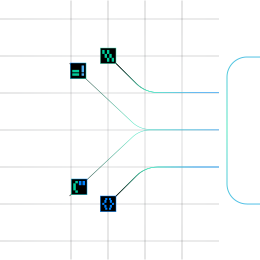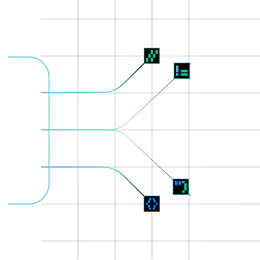




































Choose the model for each sub-stage. The picker filters by Vision, Reasoning and Fast, and shows a relative cost tier from $ to $$$.
Build your own document intelligence pipeline
A self-serve API for developers to parse, extract, evaluate, correct, and deploy document AI applications.
Split Complex Document Bundles into Individual Files Automatically
Split functionality finds where one document ends and the next begins, then creates a separate child document for each one, with its own page range and PDF. Every cut comes with a confidence score, so you know which ones to trust.
Infrrd is Chosen and Trusted By


Split Turns One Big File into the Documents Inside It
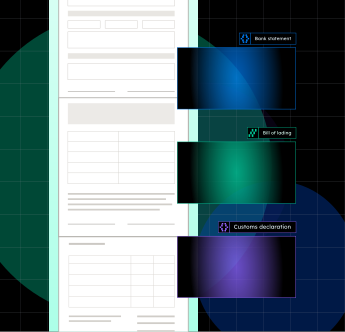
Real intake is rarely one file, one document. A mortgage package, a claims bundle, or a scanned mailroom batch holds many documents in a single file, and anything that assumes one document per file breaks on day one. Split looks at the page images, finds where each document starts and ends, and cuts the file into separate child documents. Each child has its own page range, its own PDF and a confidence score for the cut.
Split turns bundled files into separate documents that the rest of your pipeline can process one by one
Mortgage Loan Packages
A loan package arrives as one PDF holding the application, pay stubs, bank statements, W-2s, tax returns etc. Split cuts it into individual documents, and each one goes to the right schema.
Insurance Claims Bundles
A claims bundle puts forms, reports, invoices and correspondence in one file. Split separates them so each document can be classified and extracted on its own.
Shipping packet
A bill of lading, commercial invoice, packing list and customs forms arrive stapled together. Split separates them so each is classified and extracted against its own schema.
Preparing Documents for Classification
Classifying a whole package gives a meaningless answer. Split first, then Classify labels each real document.
Per-Document Extraction at Scale
Classify and Extract run once per child document, and parent to child lineage means every extracted value traces back to its page range in the original upload.
Human Review of Uncertain Cuts
Only the cuts the model was unsure about go to a reviewer, who drags pages between document lanes on a visual canvas. The rest flow straight through.
Pick the Right Model for Your Cuts
Split runs on a vision model that reads page images. Pick any vision model in the builder, set the reasoning effort for reasoning models, and change it later without writing code.
Build document AI that learns, proves and improves
Frequently Asked Questions
Scans and photos, yes. OCR runs on page images. Handwriting quality depends on the engine you choose (Azure Document Intelligence or a vision LLM). There is no separate handwriting mode.
Both. You get JSON with whole-document Markdown, per-page Markdown and typed blocks. Post Processing can also render CSV.
Yes. Tables are detected as table regions and output as Markdown tables.
Yes. Every block has a bounding box, expressed as percentages of the page.
Yes. Choose semantic, page or fixed-token chunking, with configurable size and overlap.
Azure Document Intelligence by default. You can select a vision LLM per pipeline.
There is no hard page limit. The file size limit is 100 MB.
Yes, for the LLM-based sub-stages. Azure Document Intelligence usage is billed in credits.
Jobs, results and documents are kept for 24 hours after submission, then deleted.