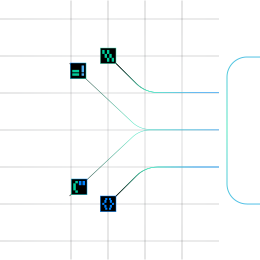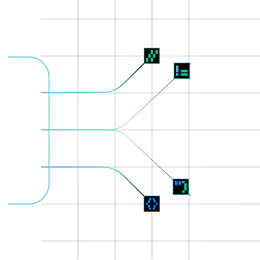



































Choose the model for each sub-stage. The picker filters by Vision, Reasoning and Fast, and shows a relative cost tier from $ to $$$.
Build your own document intelligence pipeline
A self-serve API for developers to parse, extract, evaluate, correct, and deploy document AI applications.
Sort Documents into Your Own Classes and Route Each to the Right Extraction Schema
Classify decides what each document is against a taxonomy you define, with a confidence score at every level. It then uses that answer to pick the extraction schema. Just state your classes and publish.
Infrrd is Chosen and Trusted By


Classify Tells Your Pipeline What Every Document Is
Mixed inbound streams need sorting before anything else can happen. Hard-coded rules break easily, and a flat list of labels does not match how businesses actually group documents. Classify determines what a document is, such as an invoice, bank statement, or KYC form, based on a class hierarchy you define. It then uses that answer to choose the extraction schema, so classification and routing become one decision instead of a separate classifier plus a hand-coded router.
Classify turns mixed document streams into sorted, routed work, so every document reaches the right schema
Insurance Claims Intake
A claims mailbox receives first notice of loss forms, police reports, repair estimates, medical bills and correspondence, all mixed together. Classify sorts each one into the carrier's own class tree and routes it to the right schema.
Routing Documents to the Right Extraction Schema
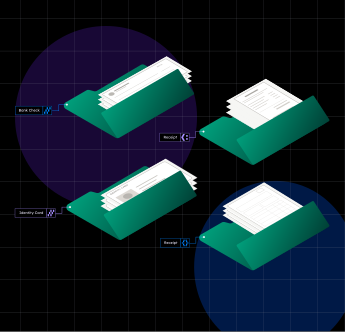
The class a document lands in decides which schema extracts it, so invoices, bank statements and KYC forms each get the extraction built for them
Sorting Mixed Inbound Streams
Mailroom batches, shared intake folders and watched Google Drive folders deliver every document type at once. Classify labels each document as it arrives, so nothing waits for manual sorting
Classifying After Split
Classifying a whole package gives a meaningless answer. When Split cuts a bundle into documents, Classify labels each child on its own and sends it to its own schema
Labeling and Organizing Document Archives
Use a label taxonomy to tag documents by type without extracting anything, so back files and archives become searchable and organized.
Handling Unknown and Uncertain Documents
Unrecognized documents land in Others and are still captured. Uncertain ones wait for a reviewer to confirm or change the class, so nothing is dropped or sent to the wrong schema.
Pick the Right Engine for Every Sub-Stage
Each sub-stage in Parse has its own on/off switch, engine, model and optional confidence threshold. Use the engine that is strongest for each one, and change it later without writing code.
Build document AI that learns, proves and improves
Frequently Asked Questions
Scans and photos, yes. OCR runs on page images. Handwriting quality depends on the engine you choose (Azure Document Intelligence or a vision LLM). There is no separate handwriting mode.
Both. You get JSON with whole-document Markdown, per-page Markdown and typed blocks. Post Processing can also render CSV.
Yes. Tables are detected as table regions and output as Markdown tables.
Yes. Every block has a bounding box, expressed as percentages of the page.
Yes. Choose semantic, page or fixed-token chunking, with configurable size and overlap.
Azure Document Intelligence by default. You can select a vision LLM per pipeline.
There is no hard page limit. The file size limit is 100 MB.
Yes, for the LLM-based sub-stages. Azure Document Intelligence usage is billed in credits.
Jobs, results and documents are kept for 24 hours after submission, then deleted.