
Imagine an AI system extracting information from 1,000 invoices. It processes every document and returns the data within minutes. Impressive, right? But how do you know which extracted values are correct?
This question gave rise to confidence scoring in Document AI. Instead of returning a value alone, AI models assign a score that indicates how certain they are about the extraction.
But here's the catch. A confidence score is not an accuracy guarantee. A field with 95% confidence can still be wrong, while one with 70% confidence might be correct.
The challenge is deciding which scores deserve your trust. That's where confidence thresholds come in. They help businesses decide which extracted values can proceed automatically and which need further attention.
What Is a Confidence Threshold in Document Processing?
A confidence threshold in document processing is the minimum confidence score an extracted value must meet to pass a confidence check. For example, if you set a confidence threshold of 80%, a field scoring 92% passes. A field scoring 65% gets flagged for review.
But confidence scores and confidence thresholds serve different purposes.
Confidence Score vs. Confidence Threshold
Why Are Confidence Scores Calculated at the Field Level?
Consider an invoice with five extracted fields. The vendor name might score 98%, while the bank account number scores 62%. A single document-level confidence score could hide that difference. Field-level confidence scores help identify exactly which values need attention. This allows teams to review uncertain fields instead of manually checking every extracted value.
How Confidence Thresholds Work
Confidence scores are commonly represented between 0 and 1, where 0 indicates the lowest confidence and 1 indicates the highest. For example, a score of 0.87 represents 87% confidence. The system compares this score against the configured threshold.
Two Possible Outcomes
- Auto-Approve: The field meets its confidence threshold and passes other required validation checks.
- Review: The field falls below its threshold or fails validation, triggering a review flag.
These are common workflow outcomes, not automatic actions in every platform.
Required fields receive additional attention. Even if other fields meet their thresholds, an empty mandatory field can trigger review. Confidence thresholds therefore work alongside field requirements and validation rules.
What Happens When Your Confidence Threshold Is Too Low or High?
Setting a confidence threshold is a trade-off between automation speed and error risk. Choosing the wrong level can create problems in either direction.
When Your Confidence Threshold Is Too Low
A low threshold allows more extracted values to pass without review. Because of this, uncertain values can reach downstream systems.
Consider an invoice extraction system that reads the wrong vendor name.
The AI assigns 72% confidence to the extracted vendor. If the threshold is 65%, the field passes despite being incorrect. That mistake could lead to incorrect vendor matching, payment delays, or financial reconciliation issues.
When Your Confidence Threshold Is Too High
A high threshold creates the opposite problem. Even correctly extracted values may get flagged because the AI cannot meet the required confidence level.
This increases manual review workloads and slows processing.
It also reduces straight-through processing (STP), the percentage of documents completed without human intervention. The goal is not maximum confidence. It is finding a threshold that balances processing efficiency with acceptable business risk.
Why You Need Field-Level Confidence Thresholds, Not One Global Setting
Every extracted field carries a different level of business risk. A mistake in an invoice description rarely has the same impact as an incorrect payment amount.
Field-level confidence thresholds allow businesses to apply stricter controls where errors have greater consequences.
These approaches are starting points. Actual thresholds should reflect measured extraction performance and business requirements.
How to Set Confidence Thresholds in IDPForge
IDPForge is Infrrd’s self-serve document automation API for developers. It parses, splits, classifies, and extracts structured data from documents, with per-stage multi-LLM routing, bring-your-own-key support, and a built-in review queue.
Its schema-based extraction lets users define fields, data types, validation rules, and confidence thresholds. This gives developers control over which extraction results need attention.
Configure Per-Field Thresholds in the Schema Editor
In IDP Forge, each schema defines the fields that the AI should extract.
Users can configure confidence thresholds for individual fields through the schema editor. The platform applies a default threshold of 80% when no higher-priority threshold is configured.
Thresholds follow this priority order:
- Extract-stage Schema Extraction threshold, if configured.
- Individual field threshold.
- Schema-level threshold.
- Platform default of 80%.
This priority matters because an Extract-stage setting can override thresholds configured for individual fields.
Drop Low-Confidence Fields During Schema Creation
IDP Forge also supports schema generation from sample documents. The platform suggests fields based on extracted key-value pairs and displays their confidence scores.
Users can remove suggested fields individually or use the Drop low-confidence option to discard proposals scoring below 80%. This helps clean up a draft schema before publishing. It does not automatically remove low-confidence values from live extraction results.
How Low-Confidence Fields Are Handled: Exception Queues and Human Review
When a field falls below its configured threshold, IDP Forge marks it as needs_review.
The result does not automatically fail.
If Send exceptions to Reviews is enabled in the Extract stage, the platform routes the document into a review queue. Otherwise, the result continues with its confidence and review flags attached.
Reviewers can inspect flagged fields, compare extracted values against highlighted regions of the source document, and correct or confirm them.
The platform stores the original extracted value alongside the corrected value, the reviewer's identity, the correction time, and the original confidence score. This provides a record of what the AI extracted and what the reviewer changed, making the review process easier to audit.
How to Tune Your Confidence Threshold: A Step-by-Step Approach
Setting the right confidence threshold requires testing and regular adjustments. Follow these steps to balance extraction accuracy with automation efficiency.
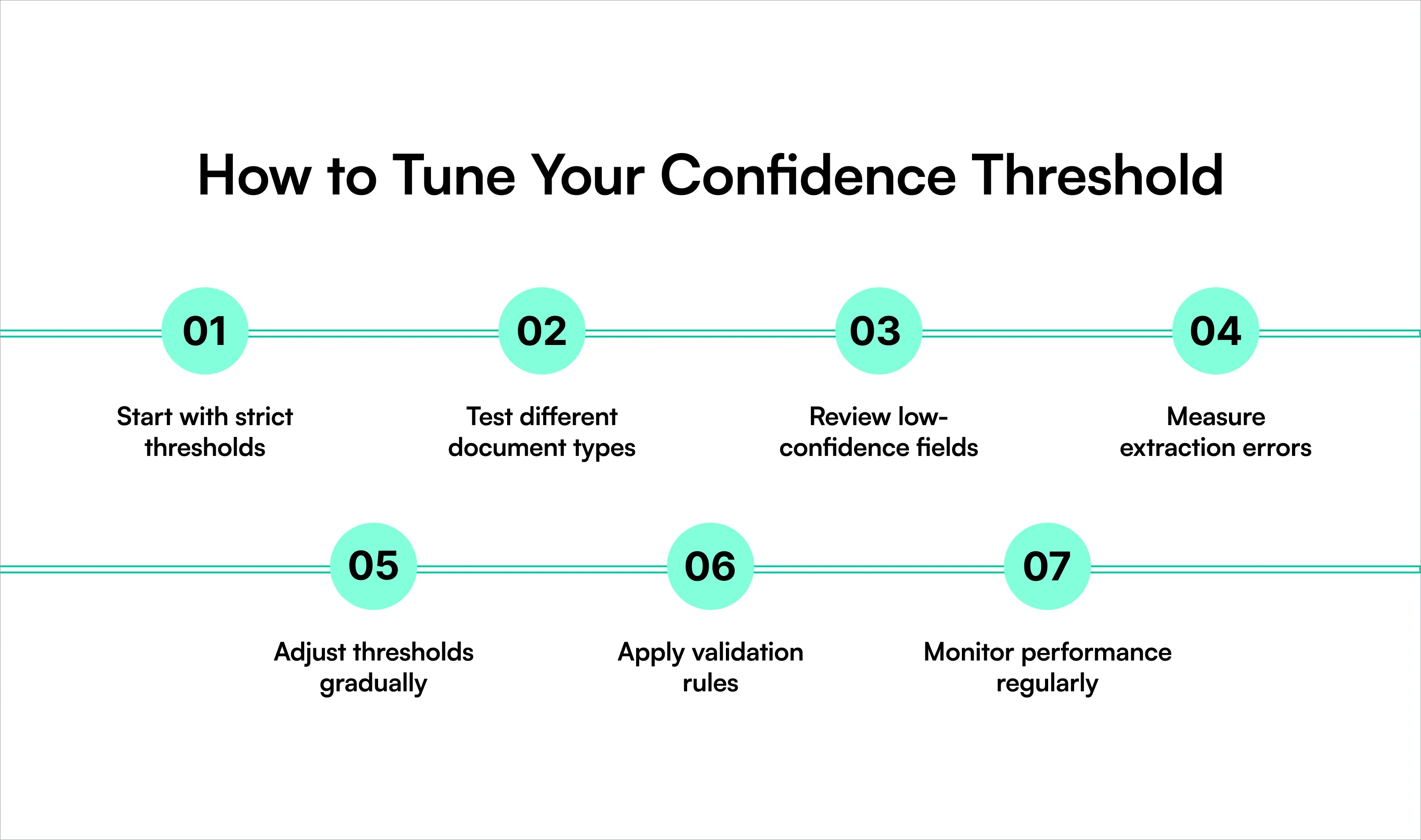
- Start with strict thresholds: Set higher confidence requirements for critical fields, such as payment amounts, account numbers, and mandatory information.
- Test different document types: Use documents with varying layouts, scan quality, and formats to evaluate extraction performance.
- Review low-confidence fields: Identify fields that frequently get flagged despite being extracted correctly.
- Measure extraction errors: Compare extracted values against verified data to identify false positives and missed errors.
- Adjust thresholds gradually: Lower thresholds for consistently accurate fields and increase them for fields with higher error risks.
- Apply validation rules: Combine confidence thresholds with format checks, calculations, and required-field validation to catch errors.
- Monitor performance regularly: Track correction rates, manual review volumes, and straight-through processing rates to refine thresholds over time.
Common Confidence Threshold Mistakes to Avoid
Confidence thresholds can improve extraction workflows, but poor configuration can create unnecessary reviews or allow incorrect data through. Avoid these common mistakes:
- Treating confidence as accuracy: A 95% confidence score does not guarantee a 95% chance of correctness.
- Using one global threshold: Different fields carry different business risks.
- Setting thresholds too high: Excessive review flags increase manual work.
- Ignoring validation rules: High confidence cannot confirm that extracted values are logically correct.
- Skipping performance reviews: Thresholds should change when extraction patterns or document quality change.
- Assuming flagged values are rejected: Many systems mark uncertain values for review rather than rejecting documents.
Conclusion
Confidence thresholds determine how much uncertainty your document processing workflow can accept. Set them too low, and incorrect data may enter downstream systems. Set them too high, and manual reviews can slow automation.
The right approach is to evaluate confidence at the field level, account for business risk, and use validation rules to catch errors that confidence scores might miss.
IDP Forge helps teams configure confidence thresholds at the schema, field, and extraction stages. Combined with exception handling, human review, and schema versioning, these controls help businesses manage extraction quality without sacrificing automation efficiency.
FAQ
What is a good confidence threshold for document extraction?
An 80% threshold is a common starting point, but the ideal value depends on document quality, field importance, measured accuracy, and acceptable business risk.
What is the difference between a confidence score and accuracy?
A confidence score reflects the model's certainty about a prediction. Accuracy measures how often extracted values are actually correct when compared with verified data.
What happens when a field falls below the confidence threshold?
The system typically flags the field for review. Depending on workflow settings, it may enter a human review queue or continue with a warning.
Should I use the same confidence threshold for all fields?
No. Different fields have different error risks. Use higher thresholds for critical financial information and lower thresholds for less sensitive fields when testing supports them.